Subcon Subtab
Subcon subtab collates all subcon services required for this works order.
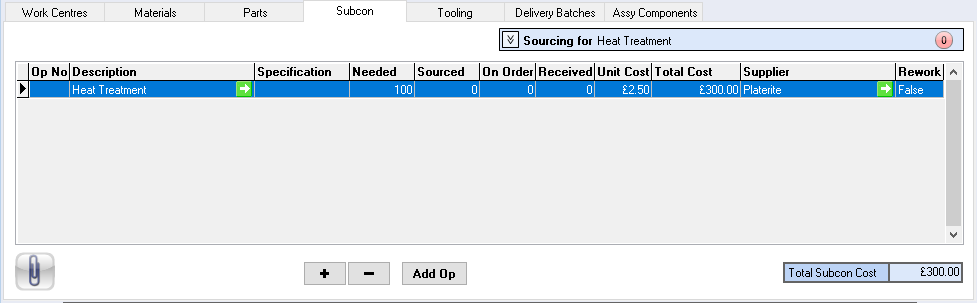
Description – subcon service description
Required – quantity required
On Order – quantity on order
Received – quantity received
Sourced – quantity sourced
Uplift % – percentage uplift applied to subcon service
Unit Cost – unit cost for subcon service
Total Cost – total cost for subcon service
Supplier – subcontractor name
 – add new record
 – delete record
 – add operation for this service, this will include the service text

Works Order Subcon
Works Order subcon window will open when the + add button is selected.
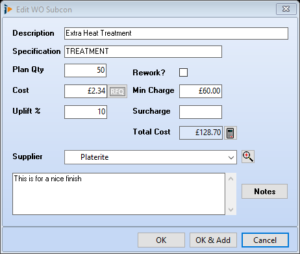
Description – description of subcon service
Plan Qty – quantity for the subcon service
Cost – unit cost for subcon service
Uplift% – percentage uplift applied to subcon service
Min Charge – minimum charge applied by supplier for this service
Surcharge – surcharge applied e.g. postage/carriage
Total Cost – total cost for the subcon service
Notes – notes applicable for this service
Supplier – subcontractor name
 Recalculate button
OK – saves and closes window
OK & Add – saves and opens subcon picking list
Cancel – closes window no record saved
Sourcing Subcon
The sourcing of a subcon service is completed by processing a purchase order
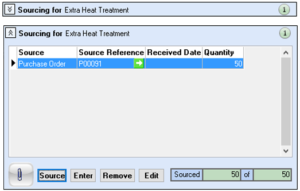
Source – selecting the source button will open a mini menu where further options are displayed relating to how this subcon is to be sourced, i.e. through a purchase order
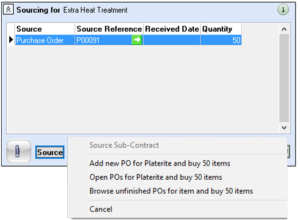
Enter – opens the Subcontract Entry window, where manual details can be added.
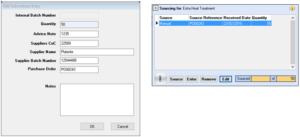
Remove – removes the sourcing record, if a purchase order exists for this record the sourcing cannot be removed unless the record has been removed from the purchase order
Edit – edit the batch detail, as per Enter