Delivery Batches
Delivery Batches – used to record all batches delivered to customer and batches allocated to stock or scrapped.
Files can be attached to the batches relating to material/part/subcon sourcing.
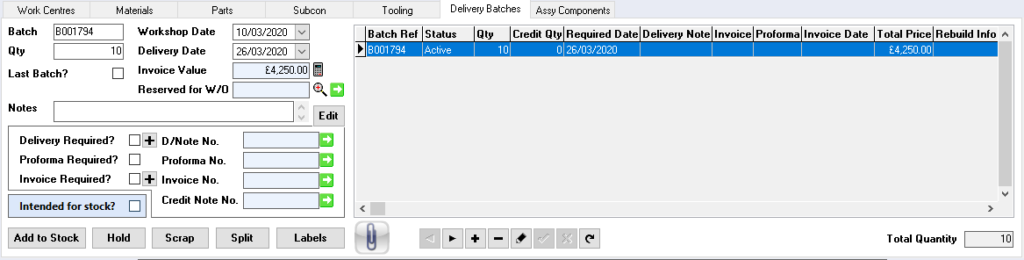
Batch – unique batch reference
Workshop Date – work shop date, defaults to date works order created (prepared)
Qty – quantity in the batch
Delivery Date – delivery date of the batch
Invoice Value – invoice value of the batch
Last Batch – ticked when last batch has been generated
Reserved for W/O – only available in Production Plus, enables reservation of manufactured components against a works order
Notes – notes applicable to the batch
Edit – enables editing of the notes field
Delivery Required – tick box to enable generation of a delivery note
 – used to create a delivery note
Proforma Required – tick box to enable generation of a proforma invoice
– used to create a proforma invoice
Invoice Required – tick box to enable generation of an invoice
– used to create an invoice
D/Note No. – delivery note number
Proforma No. – proforma invoice number
Invoice No. – invoice number
Credit Note No. – credit note number
Batches to Stock
Intended for Stock – if a batch is intended to be allocated for stock tick this button, it will then retain the unit cost for the order quantity
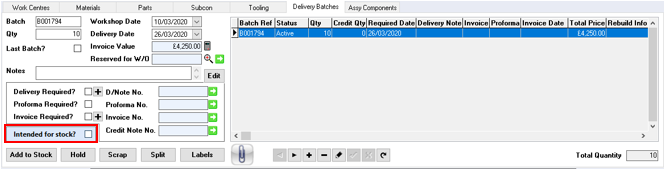
 – adds the selected batch to stock
Batches on Hold
 – puts batch on hold, disables the ability to deliver the batch

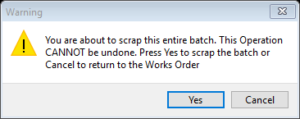
Batches to be Scrapped
 – puts batch into scrap
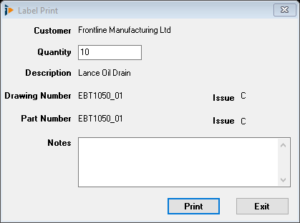
Printing a Batch Label
 – prints the batch label
Delivery Batch Table
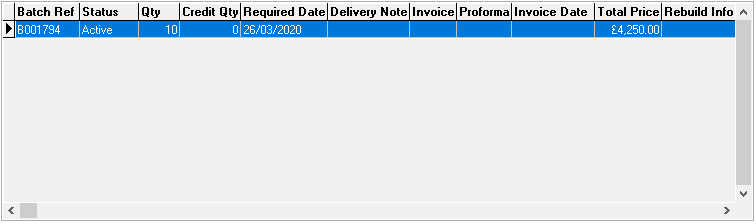
Batch Ref – batch reference
Status – status of the batch
Qty – quantity on the batch
Credit Qty – quantity on a credit note
Required Date – required date defaults to delivery date
Delivery Note – delivery note number
Invoice – invoice number
Invoice Date – invoice date
Proforma – proforma number
Total Price – total price of the batch
Rebuild Info –
WS Date – workshop date
Hold – batch held true/false
Despatch Date – dispatch date of batch
Credit_Value_Calc – value of the credit note
Balance_Value_Calc – value of the balance on works order
Reserved for – batch is reserved against works order number (production plus only)
Reject Note – reject note details
Qty_Being_Rebuilt – quantity if this batch is being rebuilt
Is_Reworking – is this batch being reworked
Is_Rebuilding – is this batch being rebuilt
Is_Being_Reworked – this batch is being reworked
Is_Being_Rebuilt – this batch is being rebuilt