• Release notes
  • Knowledge Base
  • Request Support
  • Release notes
  • Knowledge Base
  • Request Support
home/Knowledge Base/Tricorn/Static Data/Parts/Works Orders
Popular Search:

Works Orders

32 views 0

The Works Orders subtab is split into two, Master and Component. If the part is used in a top level of a works order, including assembly, it will be displayed within the Master Part subtab. Show Live will only display live works orders and Show All will show all works orders, irrespective of job status.
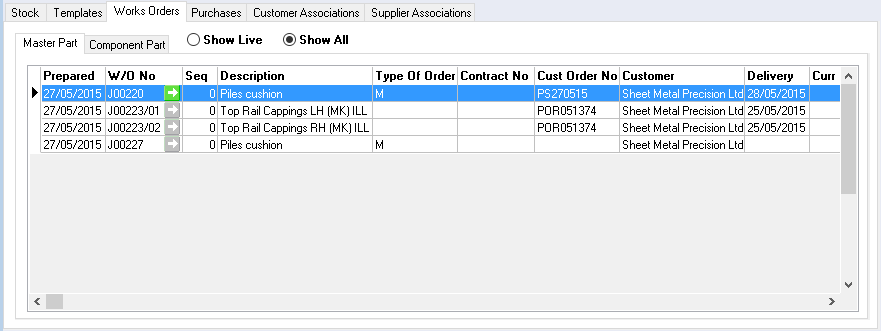
Component parts will display this part if it has been used within the parts subtab on works orders or as part of a sub component within an assembly.
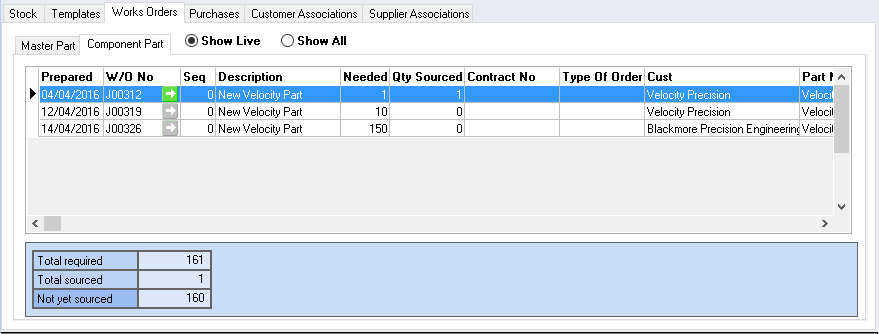

When the Show Live radio button is selected a table of requirements will be displayed.
Use the green arrows to navigate to the works order.

Was this helpful?

Yes  No
Related Articles
  • Parts Price Breaks
  • Part Search Screen
  • Stock Report
  • Parts Usage
  • Trace History
  • Manual Entry
Parts
  • Works Orders
  • Part Search Screen
  • Stock Report
  • Parts Usage
  • Trace History
  • Manual Entry
  • Delete
  • Notes
  • Edit
  • Supplier Associations
  • Customer Associations
View All 18  
Sitemap
  • Release notes
  • Knowledge Base
  • Request Support
Find Us

Fusion Hive, North Shore Innovation Centre, North Shore Road, Stockton on Tees, TS18 2NB

Search
  • Privacy Policy
  • Terms of Use
Popular Search: